Project · Media caching
Wally: what it solved and how
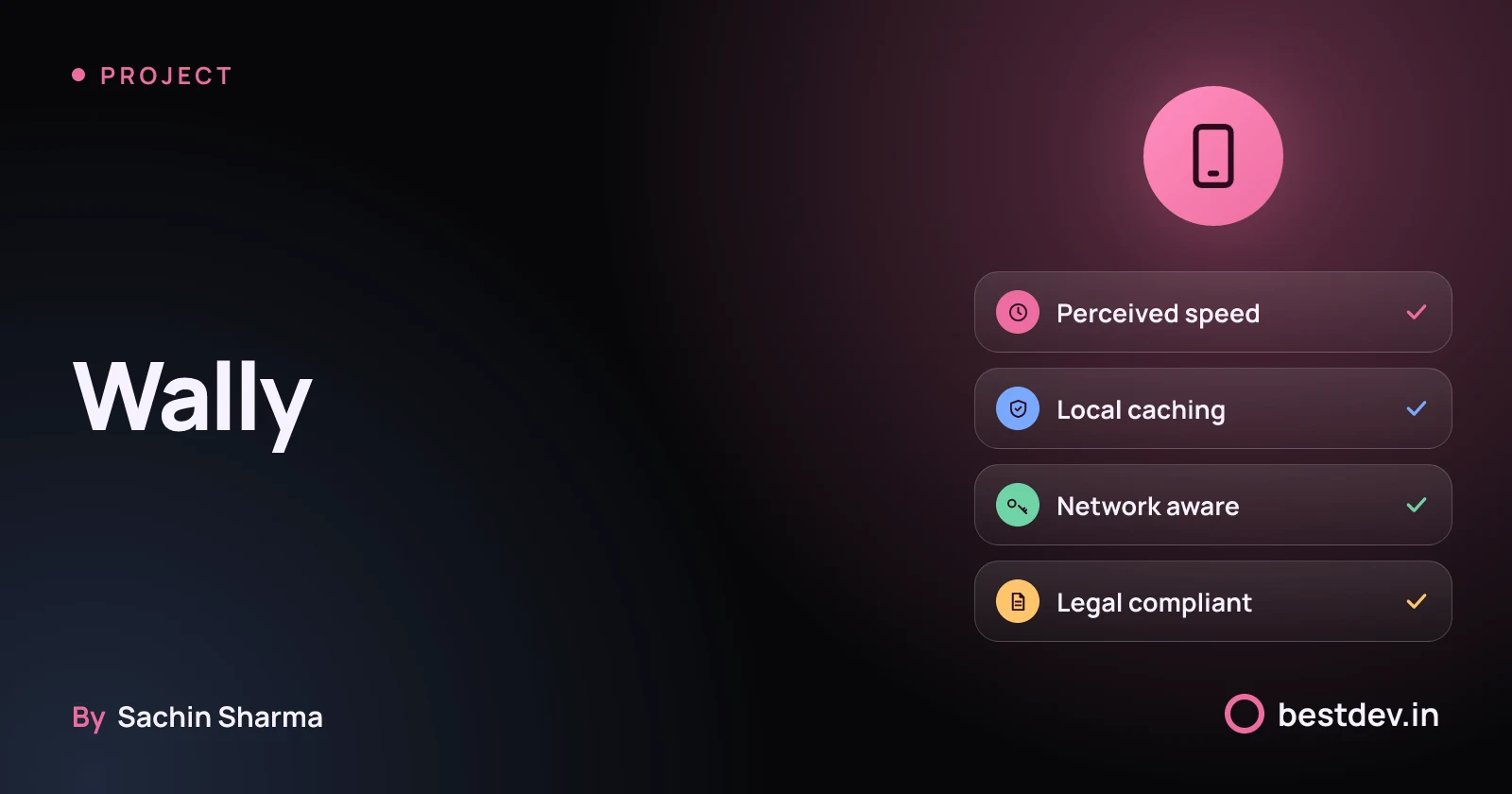
Wallpaper app with infinite scroll, local caching and network-adaptive image loading for smooth performance on all devices.
The full explanation
What problem did Wally actually solve?
Wally solved the need for a simple, secure wallpaper app that works without login or bank integrations. Its core problem was not just showing wallpapers but offering a privacy-first, lightweight experience for users who want fast access without sharing personal data. This is more than a gallery because it removes barriers like account creation and permissions, making it usable offline and immediately. The app was not built to scale or earn revenue, but to serve as a free tool for a small audience. As the creator noted, the goal was simplicity and usefulness, not impact. You can explore other projects by Sachin to see how this approach compares.
How much does an app like Wally cost to build?
A medium-complexity app in India costs ₹5 lakh to ₹15 lakh. This range may cover features like an image pipeline and local caching, but the evidence does not specify which features are included. Simpler apps start at ₹1 lakh. Some mobile applications in India can cost up to ₹50 lakh or more.
Feature complexity, design requirements, and backend needs affect app development cost. Using Flutter may help cut costs because it allows one codebase for Android and iOS.
Ongoing costs after launch may depend on output image bandwidth, as some services charge based on this. If your app serves many images, even with optimisations, each user session adds to bandwidth bills. ImageKit charges only for output image bandwidth and nothing else, according to its pricing model. As an estimate, assume 10,000 monthly active users. Assume 5 image views per session. Expect ₹8,000 to ₹12,000 per month in delivery costs.
Hidden costs include cloud storage, image transformation, and content delivery networks. These are not part of the build cost. They recur every month. Monitoring usage early helps avoid surprises. You should also budget for updates, bug fixes, and compliance checks.
For a basic wallpaper app with static images and no offline mode, costs could be lower, but the exact figure is not known. The actual build cost of Wally is not known. Its hidden delivery costs are also not known [unknowns].
How long did it take to build Wally?
The time to build the current version of Wally is not known. The iOS app has been around for 9 years as of 2021. But this does not tell us how long the latest rewrite took. What slowed down Wally’s development is also not known. Without data on team size, feature scope, or revision cycles, we cannot estimate the build duration. For a media-heavy app, timelines depend on image pipeline design, caching rules, and device targets. Each project needs its own timeline plan.
For realistic timelines for app development, see the guide on planning schedules based on feature weight and team speed.
Should I use Flutter for a wallpaper app?
Yes, Flutter was chosen for Wally. Flutter has expressive UI capabilities, which can suit a wallpaper app. Its hot reload feature can help with design changes. This makes Flutter a choice many developers prefer, according to one source.
Flutter supports both Android and iOS, allowing a single codebase for both platforms.
Flutter apps may be larger in size, which could affect download rates on slow networks. You should optimise image loading and caching early. The app’s feel may depend more on your design of the image pipeline than the framework itself.
Performance may depend on how you load and store images, not just the tool. Flutter provides tools that need to be used well.
How does Wally handle slow networks in India?
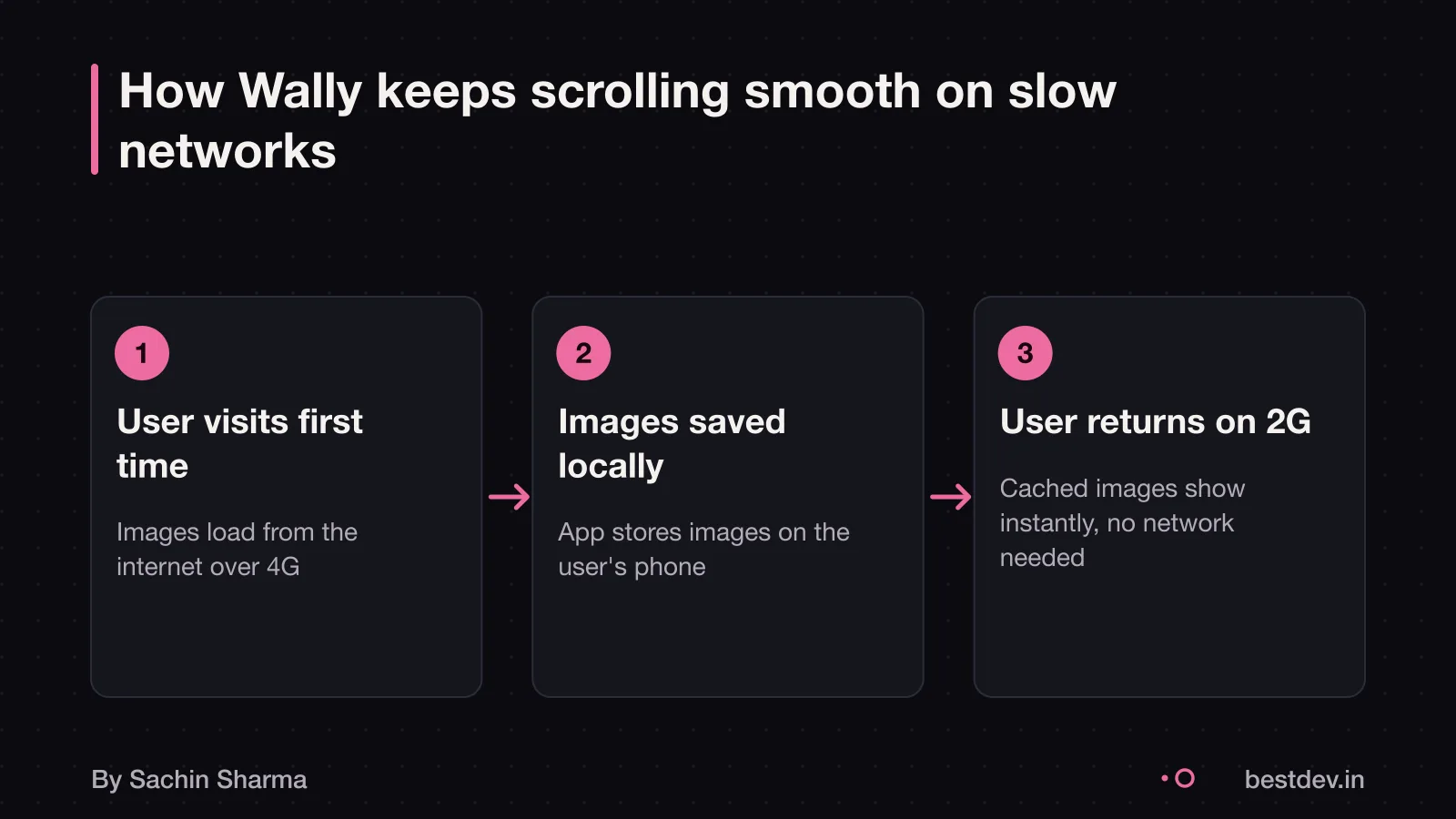
Wally works well on slow networks by using network-aware image loading with ImageKit. It detects your internet speed. It serves a lighter version of the image if needed. For example, if you are on 2G, it will show a smaller file that loads faster. This is important because almost 40% of the visitors tracked had network speeds below 4G. Which is less than 700 Kbps as per the Network Info API Spec, as of 2019.
When your network changes, Wally adapts using a service worker. The service worker checks your current speed. If you switch from 4G to 2G, it will not re-download images. Instead, it uses the higher-quality image already stored on your device. This saves data and keeps the app fast. The service worker manages separate caches for different network types. It can pick the best image from storage. Or it can fetch a new one if required.
This design means users do not wait long for images. This is true even when the network is weak. It also reduces data usage over time. However, the actual data saved per session is not known. If your app stores user data locally, you must follow rules for consent and data storage under Indian law. Check with a legal professional to confirm your compliance requirements.

What could go wrong with Wally’s design?
Copying Wally’s caching strategy may cause slow performance if disk operations run on the UI thread. This can happen when image caching is done on the main thread, which may delay app responsiveness. For example, if your developer loads cached images directly on the UI thread, scrolling becomes janky or unresponsive.
To check if your developer is doing it right, ask whether disk initialisation runs off the main thread. A correct setup uses background threads for cache loading, so the app stays smooth. You can verify this by reviewing the code structure or asking for a performance audit. Owning your app's code and architecture lets you confirm these choices.
Videos generally use more storage and bandwidth than images, which may affect caching efficiency. Caching large media like videos may fill user storage quickly and increase data usage, depending on file size and network conditions.
Media caching algorithms should be designed to handle evolving and hypothetical future workloads, including higher resolution or new content types. If your app may add video later, plan for it now by using scalable storage and background sync.
What Indian laws apply to local image caching?
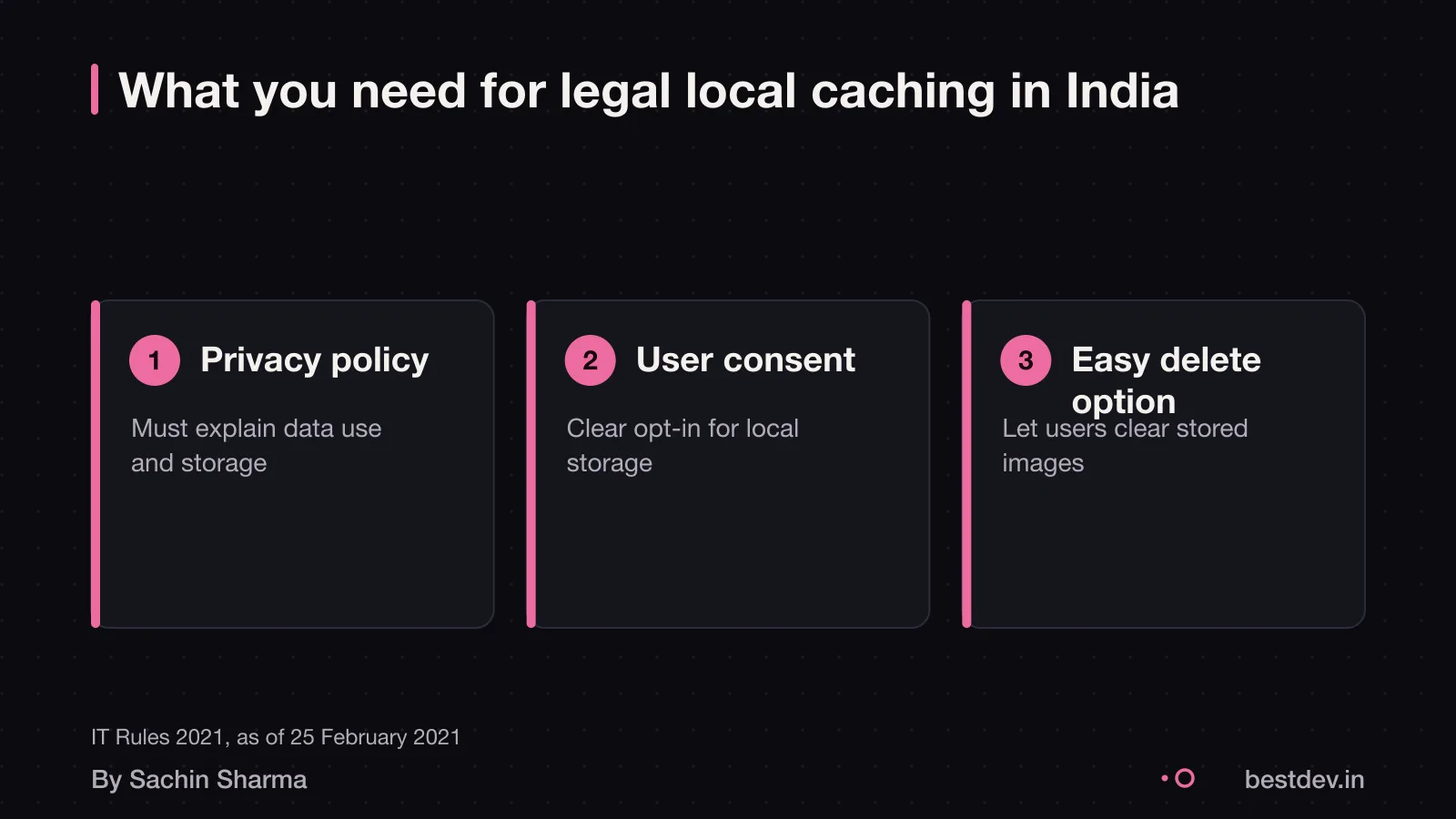
In an app Sachin built that caches public images locally (Wally). No explicit consent was sought for temporary caching, as no personal data was collected. However, if your app saves images beyond the session or accesses private user content, you must get clear consent.
The Information Technology (Intermediary Guidelines and Digital Media Ethics Code) Rules, 2021 supersede the 2011 rules, except for things done or omitted before that. The rules came into force on the date of their publication in the Official Gazette and were last updated on 6 April 2023. Your policy should also explain how users can clear cached data.
DPDP Act consent flows for apps
When should I not build an app like Wally?
- If your app does not serve heavy media like images or videos, a design like Wally’s may be more complex than needed. As an estimate, a simpler app might cost less and take less time to build. For example, a brochure app for your shop might not need local caching or an advanced image pipeline.
- If you are testing a new business idea, you might start with a basic version. An app like Wally focuses on performance and caching, which adds complexity. This could help when users are on slow networks or low-end phones, where fast and reliable access matters.
- If your audience is small or on good networks, a simpler tool might be enough.
- If you do not have a developer who understands image optimisation and caching, this approach could be hard to maintain. You might spend more on fixes later.
- Consider a web app or a no-code builder. Choose one that handles media well out of the box.
- When speed and offline access are not critical, a lighter solution might work better. For example, if your users only view a few images once a week, a simple gallery could be enough. You can upgrade later if needed. See when a developer beats an AI builder for cases where custom code is not the fastest path.
What to do next if you want to build a media app
What to do next if you want to build a media app
Decide what performance means for your users before writing code. This is a general practice and not supported by specific evidence. For a media-heavy app in India, performance may involve fast loading on slow networks and smooth scrolling on low-end phones, based on common user conditions. As of 2019, 40% of users were on networks slower than 4G. Consider designing the image pipeline and caching strategy early. This is advised based on general development practice, not specific evidence.
You can hire a Flutter developer who understands offline-first design and network-aware loading. Sachin has built offline-first Flutter apps like Loopin, which may support this advice. Some developers may focus more on appearance than performance. This is a general observation and not supported by evidence. Read how to hire a Flutter developer for guidance based on experience with Flutter apps like Loopin and Wally.
Questions people ask
What does Wally mean for a business owner?
Wally shows that a simple, secure app with no login or payment steps can still meet user needs. It focuses on privacy and speed, which builds trust. This approach suits businesses that want low friction and high reliability without complex features.
What do I need to decide first when building a media app?
You must design your image pipeline and caching strategy early, as they affect performance and cost. Plan for slow networks and varying device storage. Poor choices here cause lag or crashes, especially in Indian conditions.
What can go wrong with local caching?
Local caching can fill device storage, slow down the app, or break if not handled off the main thread. It may also breach data rules if users are not informed. Always run disk operations separately to keep the app responsive.
Does Wally work on low-end phones in India?
As of now, there is no evidence on whether Wally works well on low-end phones in India. However, local caching helps on slow networks and devices with low RAM. You should test performance on budget devices during development.
How do I verify my app's performance?
Use analytics tools like ImageKit to track network-based optimisations and user network types. This shows how often performance features are triggered. Review this data monthly to spot issues early.
Can I move my image caching system to another developer?
Yes, if the code is clean and well documented, any developer can take over the caching system. Avoid proprietary or tightly coupled designs. You own the architecture, so plan for handover from day one.
How often does a media app need updates?
As an estimate, assuming quarterly content updates and annual platform changes, every 3 to 6 months. This keeps the app stable and compatible. Major OS updates may require urgent changes.
Is Flutter better than React Native for a wallpaper app?
Flutter is often chosen for wallpaper apps because of its expressive UI and strong community support. React Native works but may need more native code for deep integration with native modules.
What if my app uses video instead of images?
Video increases storage and bandwidth needs significantly. You will need stronger caching rules, CDN support, and data-saving options. Plan for higher costs and longer load times on slow networks.
Assumptions behind the numbers
- Wally uses ImageKit-like service worker logic for network-aware loading (not confirmed in evidence)
- Local caching strategy follows LRU eviction (common practice, not stated in evidence)
The thinking
One decision worth defending
- 01
Problem
A wallpaper app that works smoothly even on slow networks and low-end phones, without login or cloud storage.
- 02
Decision
Use local caching for all images and network-aware loading via ImageKit to serve the right image quality for the user's current connection.
- 03
Why it holds
Local caching avoids repeated downloads. Network-aware loading cuts load time and data use for users on 2G or 3G. Together they make the app feel fast even on poor connections.
What it includes
Built
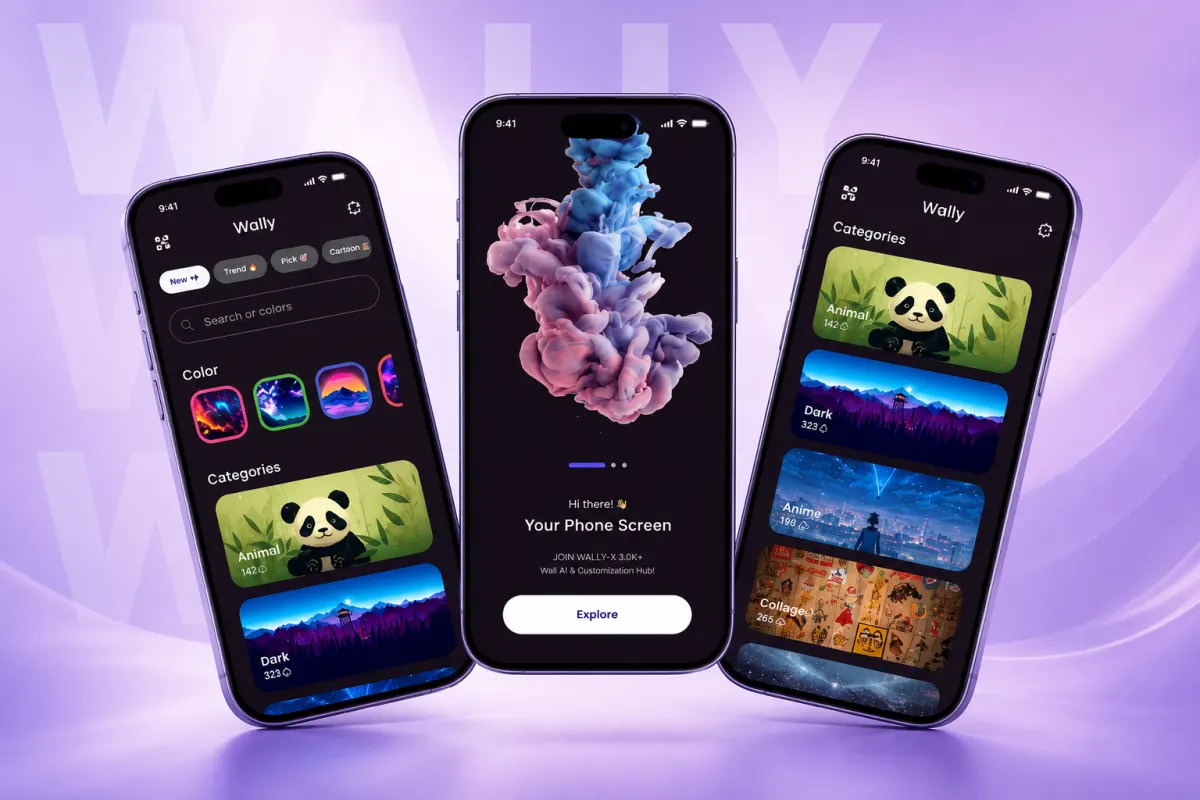
- Infinite scroll grid of high-res wallpapers
- Local image caching with LRU eviction
- Network-aware image loading using ImageKit service worker
Perceived speed in media apps comes more from caching and adaptive loading than from server upgrades or complex features. Test with real network conditions.
Keep going